Marketing — Troy
Marketing

Finally know which leads actually make money.

Every lead from Meta, Google, referrals, and cold outreach lands in one pipeline, tagged by source — with real cost per lead, CAC, and ROAS recalculated every time a deal closes. Stop guessing. Start doubling down.

Replaces ad dashboards + reporting spreadsheets
Marketing
Finally know which leads actually make money.
meettroy.ai

Busy channels lie. Revenue doesn’t.

Every platform swears it’s your best performer. None of them know which click actually turned into cash. So you keep funding the channel that looks busy while the one quietly driving revenue goes underfed — and you only find out at month-end, when it’s too late to move the budget.

Troy connects spend to revenue, lead by lead, all the way to the closed deal. You see the real number behind every channel — and you put your money where the money actually is. Here’s what that looks like.

A guided tour

The Marketing module, screen by screen.

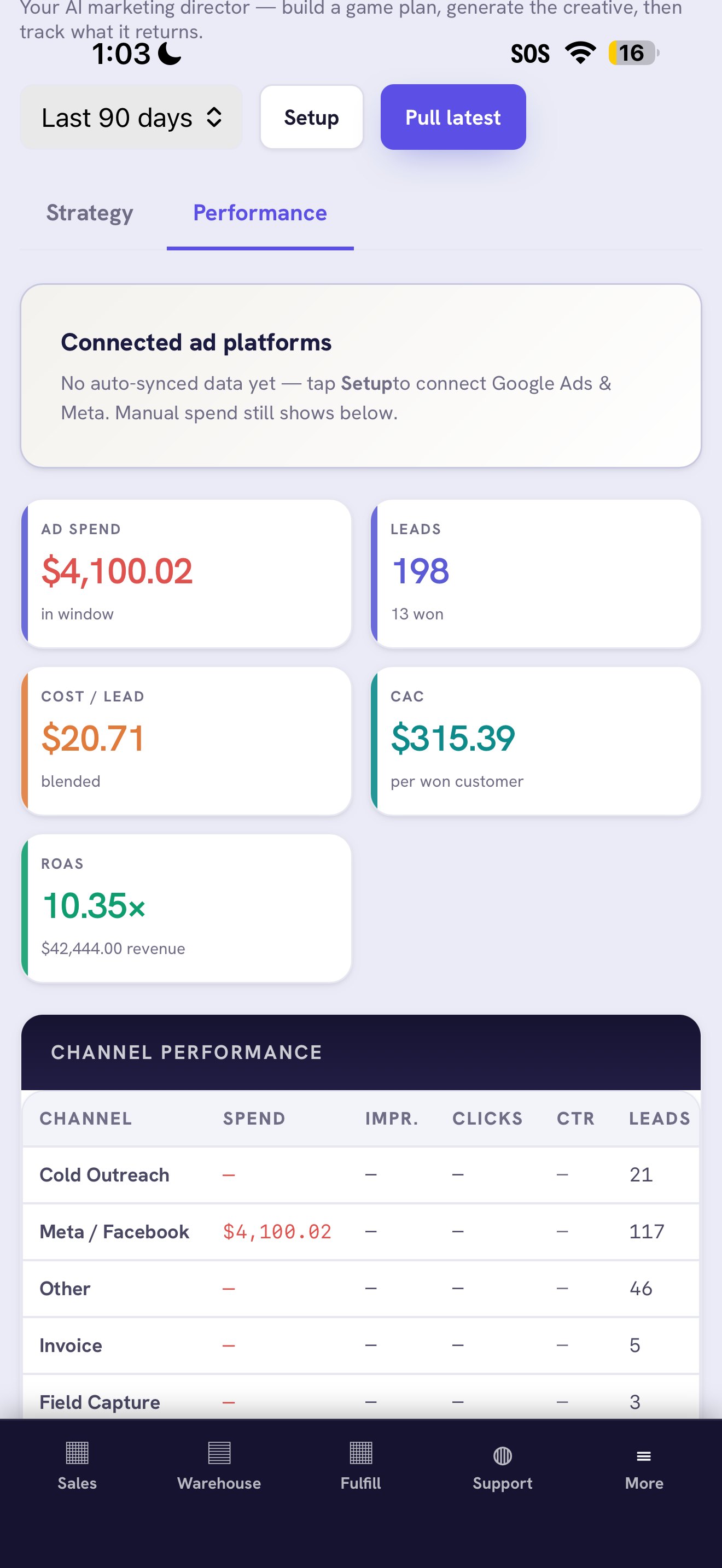
Spend and ROI dashboard — ad spend, leads, cost per lead, CAC, and ROAS
Spend & ROI

Every channel’s real return, in one view.

See what you’re spending and what it’s bringing back — per channel, updated as the data comes in.

  • Spend by channel — Google and Meta side by side.
  • True cost per lead — spend divided by real leads.
  • ROAS by channel — which dollar returns the most.
  • Daily updates — no month-end export to assemble.
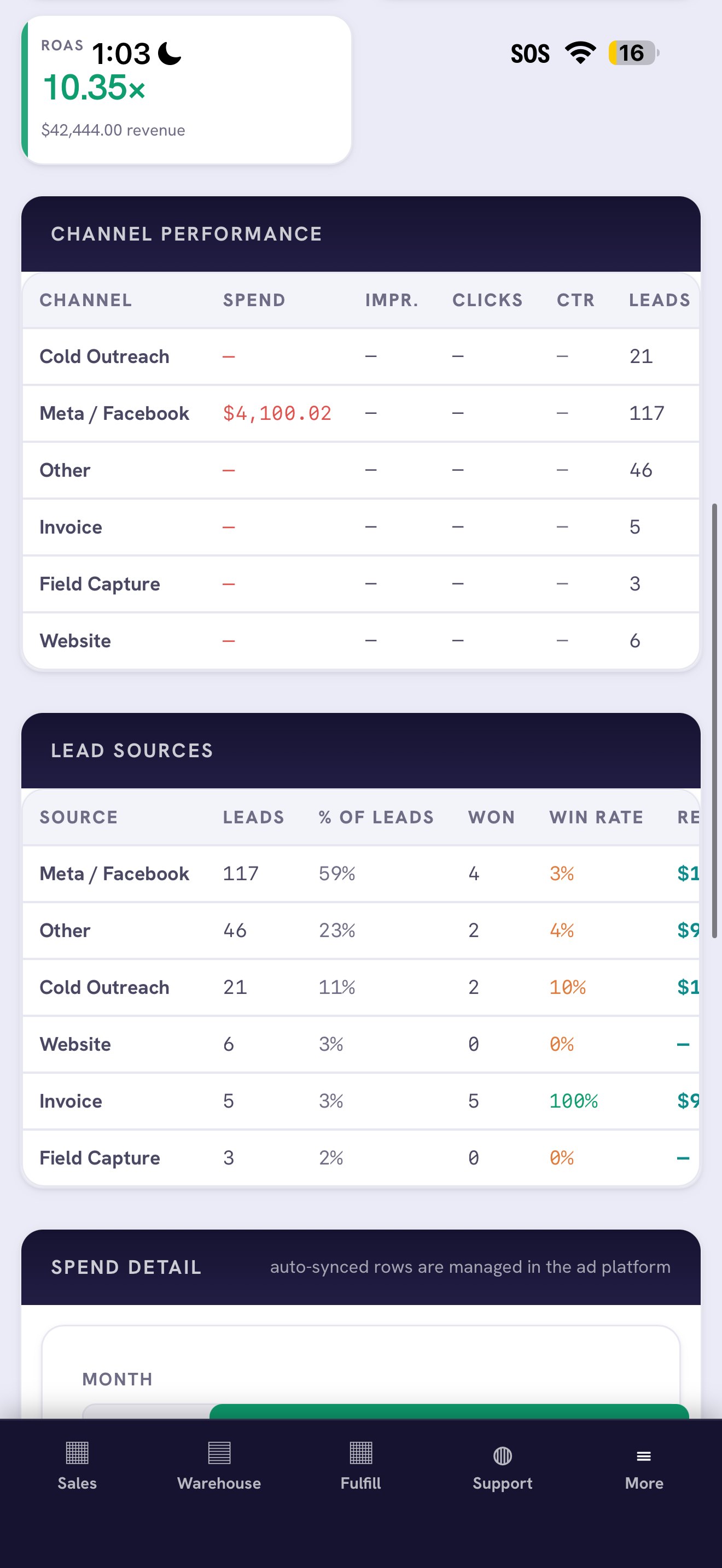
Lead-source attribution — channel performance and lead sources by revenue
Attribution

From click to closed deal — tracked.

Every lead carries its source through to the won deal, so you know which campaigns actually pay.

  • Source on every lead — tagged automatically.
  • Source on every deal — attribution to revenue.
  • Lead-source breakdown — leads per source.
  • Campaign notes — changes tied to results.
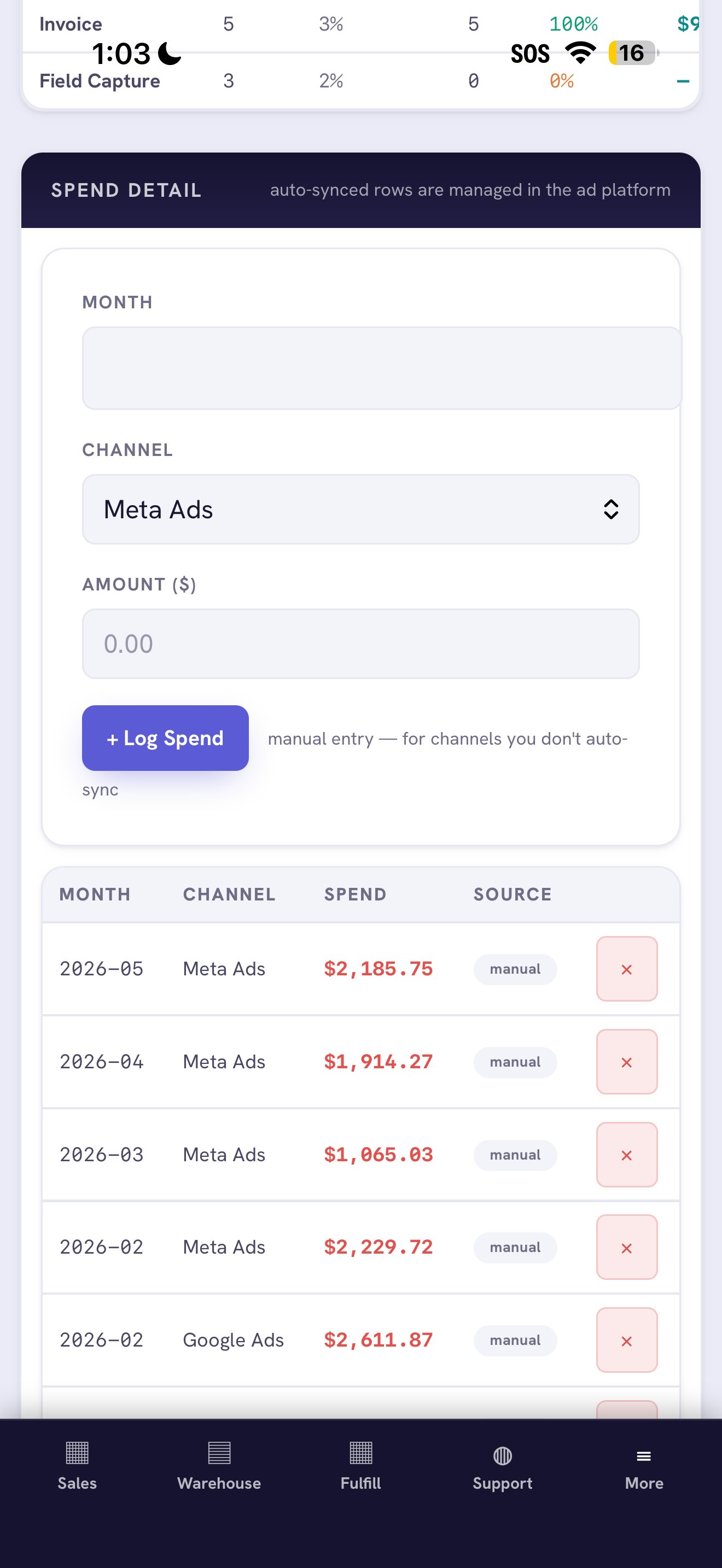
Spend detail — log manual ad spend per channel and month alongside auto-synced rows
Spend logging

Every dollar in, even the manual ones.

Auto-sync what you can and log the rest by hand — so your spend is complete and your ROAS is honest.

  • Manual entry — for channels you don’t auto-sync.
  • Per channel, per month — clean, dated history.
  • Auto + manual together — one combined spend view.
  • Edit anytime — correct a number in a tap.

Everything in the Marketing module

Spend Tracking

Google and Meta spend in one place.

Cost per Lead

Real CPL, not impressions.

ROAS by Channel

Return on every ad dollar.

Source Attribution

Lead to deal to revenue.

Lead-source Breakdown

Leads produced per source.

Campaign Notes

Changes tied to outcomes.

Channel Compare

See which channel pays.

Revenue Link

Spend connected to closed deals.

How it works

1

Connect

Bring in spend and leads from your channels.

2

Attribute

Troy tags every lead with its source.

3

Measure

See cost per lead and ROAS in one view.

4

Reallocate

Move budget to what pays, with evidence.

Make it yours

Attribution tuned to your channels and your funnel.

Your channels, your rules, your targets. We connect spend to revenue the way your business actually wins customers.

Your channels

Track the platforms you actually run — Google, Meta, and the sources specific to your business.

Your attribution rules

Define how a lead’s source is captured and credited, so the numbers match how you sell.

Your cost targets

Set the cost-per-lead and ROAS goals for your business; Troy flags what’s above or below.

Your reporting

Surface the marketing metrics you care about, in your branding.

Where it shines

Built for owners who fund their own ads.

Spending on ads blind

Running Google or Meta without knowing what pays? See real cost per lead and cut what doesn’t convert.

Multiple lead sources

Leads from ads, referrals, and walk-ins? Every source is tagged through to revenue so you fund the winners.

Tight budget

Every dollar counts? Reallocate spend to the channels that actually produce closed deals.

Stop guessing which channel works. Know — and double down.

Explore more of Troy

Put every dollar where the revenue is.

Starting at $19.99/mo · No setup fees · Cancel anytime · Live the moment you sign up

Sign Up →